Every Promoter Gets Their Own Guest List
Give each promoter a guest list and a sign-up link to share. They add guests from their phone, and you see exactly how many people each one brought through the door.
No credit card required
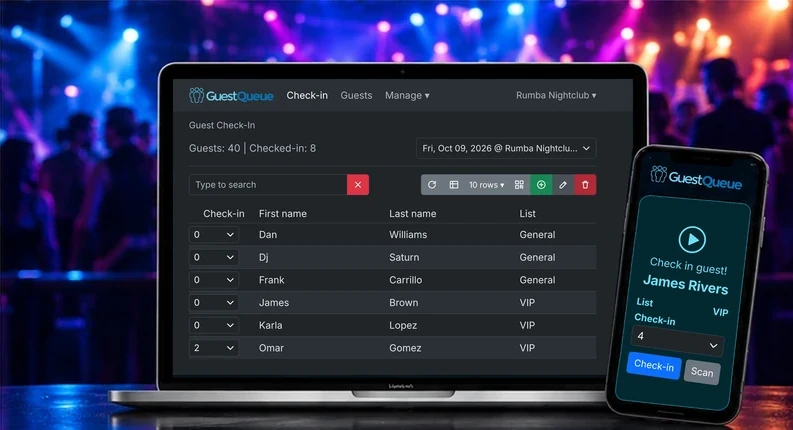
Promoter Lists, Sign-Up Links and Check-In. All in One Place.
From the first post on social media to the last guest through the door, every promoter’s list lives in one system.
A Guest List for Every Promoter
Assign each promoter their own public or private guest list. They log in and add guests to the lists you assign them.
Shareable Sign-Up Links
Every public list gets its own sign-up link for social posts, texts and bios, or embed the sign-up form on a website.
Offers on the Sign-Up Page
Show each list’s offers, rules or promo details right on its sign-up page, so guests know what they are signing up for.
Close Times and Limits
Set a sign-up close time, a guest limit and how many plus guests each guest can bring, separately for every promoter’s list.
Sign-Up Notifications
Send an email or text to the promoter, or anyone else, every time a guest signs up for their list.
QR Codes and Wallet Passes
Guests get a QR code to scan at the door and can add their reservation to Apple Wallet or Google Wallet.
No More Names in Group Chats
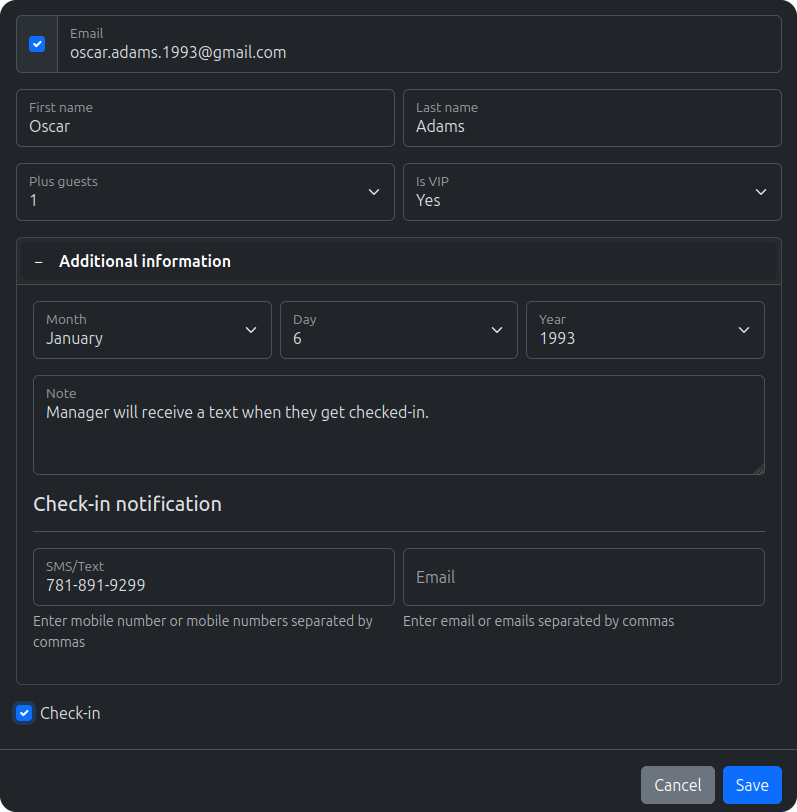
Create a login for each promoter and assign them their own guest list. They add guests and plus-ones themselves from any phone, so you are not retyping names from texts and DMs all night.
- Promoters log in from any device
- They add their own guests and plus-ones
- They see who from their list has checked in
- They only access the lists you assign them
Pay Promoters on Real Numbers
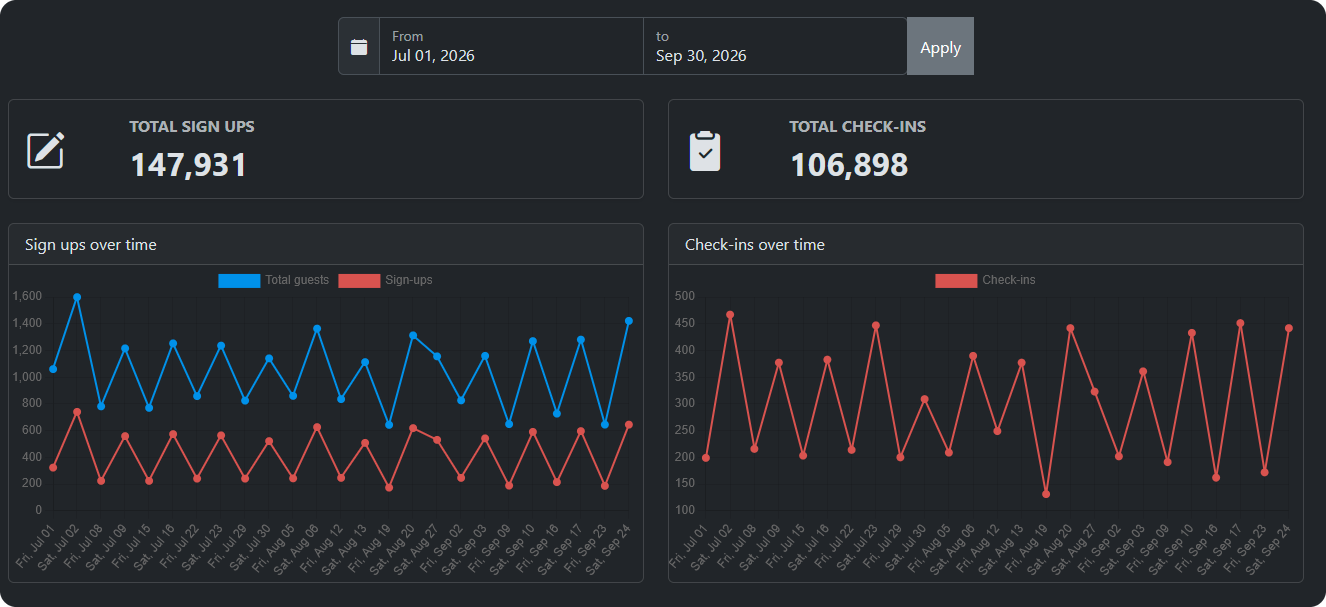
Sign-ups are not the same as guests through the door. GuestQueue records who checked in, when they arrived and which list they came from, so you can pay each promoter for the people they actually brought.
- Compare sign-ups with check-ins
- See check-ins for every promoter’s list
- Count male and female check-ins separately
- Export reports for payouts
- Review past events at any time
Built for Venues That Work With Promoters
Whether you work with two promoters or twenty, every list comes together at one door with one live headcount.
Every List, One Door
Your door team checks in guests from every promoter’s list in one place, by name or QR code scan, and sees which list each guest came from.
Influencers, Ambassadors and Hosts
The same setup works for anyone who brings a crowd, from influencers and brand ambassadors to birthday guests of honor.
Private Comp Lists
Keep comps, industry guests and staff lists private, so only you and the people you assign can add names.
Permanent Lists for Regulars
Put a promoter’s regulars on a permanent guest list once, and carry them over to every event.
Multiple Entrances
Main entrance, VIP entrance and patio all check in from the same live list, so nobody gets in twice.
Connect Your Other Tools
Add guests automatically from your website or other apps through Zapier or the Guest API.

The GuestQueue has given our clientele the ease and accessibility we want to align with excellent customer service! Its immediate response time and the simple plug-in allows for us to utilize our Facebook and website for direct access, all the while keeping our customers well informed and connected. We love the Queue, and couldn’t imagine going back to our old-school method of individually responding to guest list inquiries!
Promoter Guest List Questions
Give Every Promoter a List Before the Weekend
Set up your first event in minutes, share promoter sign-up links and see who each promoter brought through the door. It’s free to get started.
No credit card required